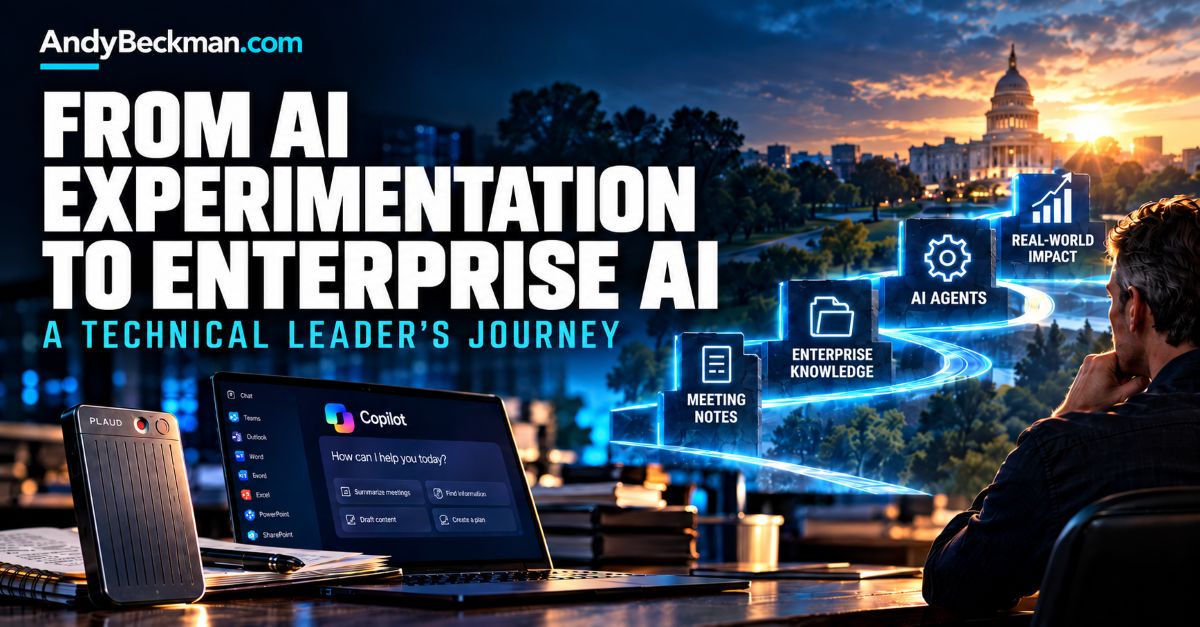
I’ve worked in technology for more than two decades, and I’ll admit something I suspect is true for a lot of experienced IT leaders: I didn’t grow up professionally working with artificial intelligence.
Most of us didn’t.
And IT people have an unfortunate tendency to pretend we know everything about IT. We don’t.
If you’re a senior technology leader today, there’s a pretty good chance you built your career around infrastructure, applications, networking, cybersecurity, software development, cloud computing, or some combination of them. You probably didn’t spend the last 20 years building large language models or studying semantic search.
I certainly didn’t.
So I’ve approached AI much the same way I’ve approached other major technology changes throughout my career: get my hands on it, use it, figure out what it’s good at, figure out where it fails, and then start thinking about where it could actually make a difference in the organization.
What has surprised me is how quickly that progression has happened. In a relatively short period, my team and I have gone from AI-generated meeting notes and everyday research to thinking about enterprise knowledge and building agents around real organizational workflows.
There were some important steps in between. Skipping those steps would have been a mistake.
Our AI Journey Didn’t Start With AI
There’s some irony in the fact that our ability to experiment with AI today is largely due to technology decisions we made before the current AI explosion.
When I arrived at my current organization, we had significant technical debt. We’ve spent the last several years modernizing infrastructure, moving services to the cloud, upgrading systems, expanding Microsoft 365, strengthening cybersecurity, and generally replacing technology that had outlived its useful life.
We weren’t doing those things because we knew exactly what generative AI or AI agents would look like a few years later. We were doing them because they were the right technology decisions.
Reducing technical debt doesn’t just solve yesterday’s problems. It creates options for tomorrow.
That connects directly to something I’ve written about before: technical leadership is about more than keeping systems running. It includes creating an environment that can adapt when the next technology shift arrives.
For us, one of those shifts turned out to be AI.
Start With AI Tools That Solve Real Problems
Our first AI use cases weren’t revolutionary, and I think that was a good thing.
We started using Microsoft Teams Premium for AI-generated meeting summaries, notes, and action items. People began using ChatGPT for research and technical questions that previously might have sent them to Google, documentation sites, or Stack Overflow.
Developers found practical uses. Something as simple as taking poorly commented code and using AI to help document it has value. Employees with the appropriate Microsoft Copilot licensing began using it for email drafts, documents, editing, and other everyday administrative work.
None of that is cutting-edge anymore. But those small uses helped us learn what these systems are good at, where they save time, and where they still need human judgment.
There is another consideration in government IT: the model you like best is not necessarily the tool you can use for every workload.
We operate in Microsoft’s Government Community Cloud environment. Microsoft documents that Copilot is available across GCC, GCC High, and DoD, while feature availability, release timing, and integration options can differ across those environments. In our case, security, compliance, data protection, and the classification of the information all influence which AI tools we are willing and able to use.
Part of learning AI is learning its boundaries.
How PLAUD Filled a Gap in My AI Workflow
One of my more interesting experiments started with a small recording device called the PLAUD Note Pro.
We were already getting good results from AI-generated Teams meeting notes. The problem was obvious, though: not every meeting happens in Teams.
In our environment, plenty of important conversations happen face-to-face. There are conference-room meetings and phone calls. Many people in a law enforcement organization aren’t sitting behind a computer all day.
Someone I work with had access to a PLAUD device from another organization. We experimented with it, and I eventually bought one myself from Amazon.
My first real test was almost comical. I took the PLAUD into an eight-hour meeting, put it on the table, turned it on, and basically forgot about it.
Eight hours is a lot of meeting.
When it was over, I had a recording that could be transcribed and summarized, along with action items and useful notes that I could share with other people who had participated.
My reaction was pretty simple: This is amazing.
Not because AI transcription itself was revolutionary. We already had that capability in Teams. What was different was that I could now capture conversations that weren’t happening conveniently inside Teams.
The device I’m using is the PLAUD Note Pro. If you want to see the same device and current price on Amazon, use this link.
Disclosure: As an Amazon Associate, I earn from qualifying purchases.
I don’t want to oversell the hardware, though. The device doesn’t magically create my enterprise workflow. It solves a very specific problem for me: capturing important conversations that otherwise wouldn’t be in the same AI-assisted workflow as my Teams meetings.
What happened after the recording is where things became much more interesting.
When AI Meeting Notes Became Organizational Knowledge
Today, I use PLAUD for many of my important in-person meetings and selected phone calls. I generate the appropriate summaries and notes, but then I take another step.
I move that information into a Microsoft environment where my enterprise Copilot can access it. One of my technical project managers, who frequently participates in conversations and projects that overlap with mine, can also share her meeting information.
Now we’re building something different.
It isn’t just a folder full of meeting notes. It is becoming a growing repository of decisions, conversations, action items, commitments, and project history that AI can help us navigate.
Instead of trying to remember which meeting something was discussed in, the goal becomes being able to ask questions such as: What commitments did we make concerning this project? What action items are still outstanding? What did we decide about this issue?
That general architecture is supported by capabilities such as Microsoft 365 Copilot connectors, which Microsoft describes as a way to bring or connect organizational content into Copilot for indexed search and synthesis. Microsoft currently documents connector availability across commercial, GCC, GCC High, and DoD environments, although specific capabilities and configurations still vary.
That was when my thinking started shifting from simply using AI to thinking about the information we were feeding it.
When Copilot Got a Simple Question Wrong
One of the best lessons I’ve learned about enterprise AI came from a question that should have been ridiculously easy.
We maintain several union contracts. I wanted Copilot to reference those agreements when questions came up, so during testing, I asked a straightforward question about one particular contract: “What are the official union holidays?”
The answer was plainly written in the contract.
Copilot kept getting it wrong. Specifically, it kept leaving out the same two holidays.
This drove me nuts.
I could open the contract, scroll to the appropriate section, and count the holidays myself. Yet this incredibly sophisticated AI system couldn’t reliably answer a question that should have taken 30 seconds.
So I stopped asking it for the answer and started asking it where the answer was coming from.
Eventually, I discovered the problem. At some point, I had previously uploaded the union contract directly into a Copilot conversation and asked it to help me draft an email about holidays. Copilot could process the document I had explicitly provided in that conversation.
But the version of the contract sitting in our organizational repository wasn’t properly searchable and indexable for the broader workflow I was now trying to use.
Copilot could, however, retrieve information from the email draft.
It wasn’t reliably answering from the authoritative source I thought it was using.
When enterprise AI gives you a bad answer, don’t just correct the answer. Investigate the retrieval path.
We Didn’t Have an AI Problem. We Had a Data Problem.
That experience changed how I looked at AI adoption.
The question was no longer simply, “Does our AI have access to our enterprise data?”
It became, “Is our enterprise data actually usable by AI?”
Retrievability isn’t the same thing as reliability.
We started looking at the information we were creating and storing differently. We had documents on network drives. We had information in PDFs created years before anyone had a reason to care whether an AI system could index them. Information existed in email, SharePoint, local storage, and people’s heads.
This is increasingly recognized as a broader enterprise-AI problem. KPMG’s 2026 roadmap for AI-ready data emphasizes that agents, retrieval-augmented generation, and autonomous workflows depend on data that can be discovered, interpreted, governed, and reused. That matched what we were learning the hard way.
The AI model mattered. But the condition of the information underneath it mattered just as much.
AI Started Changing How We Create Information
One example was our jail services briefing information. Important operational information is regularly distributed to employees and archived for later reference.
Nobody was doing anything wrong when those documents were originally created. They were created for humans, and humans could read them.
But our requirements had changed.
We now want information to serve two audiences: the person who needs it today and, potentially, an AI system helping that person, or somebody else, find it tomorrow.
So we began changing document formats and processes. Information that previously only needed to be readable by a person now also needed to be searchable, indexable, stored in the right place, and subject to the right permissions.
That has begun to change the way I think about enterprise information. When we create something worth keeping, I don’t just want it stored somewhere. I want it stored in a format and location where the appropriate people and the tools working on their behalf can find it later.
That sounds like a subtle operational change. Across an organization, it isn’t.
Preparing Enterprise Data for AI
If another technical leader asked me where to start with enterprise AI, I would spend less time worrying about which model is currently winning the benchmark race and more time looking at the organization’s information.
Where does your knowledge live? Network drives? SharePoint? OneDrive? Individual computers? Email? PDFs? Legacy applications? Which version is authoritative? Can it be indexed? Who should have access to it? Is old or duplicate information going to compete with the current source?
Inventorying and auditing enterprise information isn’t glamorous, but it becomes increasingly important when AI moves beyond drafting emails and starts interacting with the organization’s actual knowledge.
The technology is only part of AI readiness. Your information architecture matters too.
The Enterprise AI Adoption Progression I’ve Experienced
Looking back, my experience has followed three broad steps.
- Use AI. Start with low-risk tools that solve obvious problems and build firsthand experience.
- Make your information AI-ready. Organize enterprise knowledge so that authorized AI tools can reliably find, understand, and retrieve it.
- Build AI around your work. Once you understand the tools and your information, begin applying agents to organization-specific workflows to reduce repetitive work or dramatically increase scale.
The progression can happen quickly. That doesn’t mean you should skip a step.
Then Our Questions About AI Started Changing
At some point, I noticed we weren’t talking about AI the same way anymore.
At first, the question was: What can AI do?
Then it became: What can AI do with our information?
Eventually, we started asking a much more interesting question: What work do we need done?
That is a fundamentally different conversation because the technology stops being the center of the discussion. The mission problem becomes the center.
That change has led us into AI agents.
Using AI Agents to Crowdsource Disaster Recovery Planning
One of the agents we’re developing internally involves disaster recovery.
Traditional disaster-recovery planning has a problem I’ve seen repeatedly. A project team interviews executives and subject-matter experts. People document critical systems, dependencies, contacts, and procedures. Eventually, someone produces a plan.
But enormous amounts of operational knowledge exist farther down the organization.
So we’re experimenting with a different approach: an AI chatbot that can interview employees through Teams.
What happens if you can’t perform your job for an hour? What happens after a day? A week? A month? Which systems do you need? Who depends on you? Who do you depend upon? Who needs to be contacted? What workaround exists?
The goal is to gather operational knowledge from throughout the organization rather than only from a handful of people.
Then it gets more interesting. Because the agent knows who it is interacting with inside the enterprise environment, subsequent rounds can potentially identify inconsistencies and gaps. Perhaps an employee identifies three critical dependencies while the supervisor identifies a fourth. Maybe employees performing the work identify something leadership overlooked.
The agent can help surface those discrepancies for follow-up.
We’ve been referring to this as crowdsourcing our disaster recovery plan.
The AI doesn’t decide our disaster-recovery strategy. Humans still do that. The AI helps perform the labor-intensive information gathering and organization that would be extremely difficult to do at this scale manually.
The project is still in development. I’m describing what we are building and what we expect it to help us accomplish, not presenting it as a finished success story.
Exploring AI Agents for Digital Forensics
Another project we’re exploring carries considerably higher stakes.
Digital forensics can involve enormous quantities of information. A modern smartphone may contain messages, images, call records, application data, location information, and other potentially relevant material. Investigators can encounter multiple devices associated with a single investigation.
Someone still has to work through that information.
I originally compared it to handing somebody an encyclopedia and asking them to find the important pieces, but that’s probably too organized.
It is more like dumping several reams of paper on the floor and saying, “Somewhere in there may be something important.” Organize it.
For some investigations, time matters tremendously. We are exploring how AI agents could help structure forensic information, identify material that matches predefined investigative criteria, apply existing decision frameworks, and point investigators to the underlying source material.
The last part is critical.
AI Should Enhance the Investigator, Not Replace One
If an agent tells an investigator, “I found this text message, and it appears relevant,” that isn’t evidence because the AI said so.
The investigator goes to the source.
Is the message actually there? Does it actually say what the AI represented? What is the surrounding context? Is the source what the system says it is?
Only then does the investigator determine what, if anything, it means.
AI isn’t the investigator.
It doesn’t determine guilt. It doesn’t invent evidence. It helps an investigator navigate information.
I think of that as an enhanced investigation technique rather than an automated investigation.
Human verification becomes increasingly important as the consequences of an AI-assisted process grow. The NIST AI Risk Management Framework is a voluntary framework intended to help organizations incorporate trustworthiness into AI design, development, use, and evaluation. NIST’s Generative AI Profile extends that work specifically to generative AI risks and risk-management practices.
For law enforcement, traceability and verification aren’t nice-to-have features. If information is going to contribute to an investigation, we need to be able to get back to the underlying source and have a human verify it.
Sometimes Technical Leadership Means Bringing In Expertise
There’s another lesson in that project.
I have talented technical people. That doesn’t mean I’m comfortable telling them to learn advanced agent development by experimenting with highly sensitive investigative information.
For our initial work in this area, we’re bringing in outside expertise with experience building these kinds of agents. We’ll combine that technical expertise with our own IT staff and, critically, the subject-matter experts who understand the investigations themselves.
That isn’t an admission of technical weakness. It’s risk management.
IT professionals sometimes have an unfortunate tendency to believe we’re supposed to know everything involving technology. We don’t. AI makes that especially obvious.
There’s nothing wrong with learning. There is something very wrong with pretending to have expertise when the consequences of getting something wrong are significant.
Don’t Start With an AI Strategy
That may sound strange coming from a CTO.
I’m not suggesting organizations don’t need AI governance, policies, security standards, acceptable-use rules, or eventually a broader strategy. They absolutely do.
What I am saying is that I wouldn’t lock a group of technical leaders who have barely used AI into a conference room and ask them to write a 30-page strategy describing how the organization will use it for the next five years.
Go learn first.
Find some low-risk applications. Use the tools. Understand how your data interacts with them. Learn what makes you uncomfortable. Discover where the tools fail. Figure out what your employees actually find useful.
Then your strategy can be informed by experience instead of vendor presentations.
Don’t Skip the Steps in Enterprise AI Adoption
What’s remarkable to me is how quickly this progression has occurred.
Meeting summaries led to enterprise information retrieval. That exposed information-management problems. Fixing those problems opened the door to more useful enterprise knowledge. That, in turn, gave us enough understanding to start thinking seriously about agents.
This doesn’t necessarily need to be a five-year transformation roadmap.
But fast doesn’t mean skipping steps.
If you don’t understand the basic tools, don’t rush to build agents because agents are the latest technology trend. If you don’t understand how AI accesses your enterprise information, don’t automate a process that depends on that information being accurate. If your stakeholders don’t trust what you’re doing, another license won’t solve that.
I also think technical leaders have to believe in each step before moving on to the next. Not blind belief in AI, but enough firsthand understanding to explain why the next step makes sense, what problem it is solving, and what risks come with it.
The goal isn’t to reach the most advanced stage of AI adoption faster than everyone else.
The goal is to reach the point where AI solves meaningful problems for your organization.
Technical Leadership Is About Creating Options
I fully expect us to get some of this wrong.
Some of the agents we’re developing may work differently than we expect. Some ideas may turn out not to be worth pursuing. Six months from now, I may look back at something I’ve written here and realize we found a better way to do it.
I’m okay with that.
That’s what learning a new technology looks like.
What I don’t think is accidental is that we’re now in a position to experiment.
Years of reducing technical debt, modernizing infrastructure, moving information into better platforms, improving security, and expanding our cloud capabilities created options we didn’t have before.
We didn’t know exactly what technology we were preparing for.
We didn’t need to.
Technical leadership isn’t about knowing what technology will come next. It’s about building an organization capable of taking advantage of it when it arrives.
Frequently Asked Questions
What is enterprise AI adoption?
Enterprise AI adoption is the process of moving AI beyond isolated public-chatbot use and integrating it into an organization’s approved workflows, information sources, systems, and decision-support processes. In practice, that can range from meeting summaries and document drafting to enterprise search, knowledge retrieval, and specialized AI agents.
How should an organization prepare its data for AI?
Start by inventorying where important information lives and identifying its authoritative source. Important content should be searchable and indexable where appropriate, protected by the appropriate permissions, and managed to prevent obsolete or duplicate information from competing with current information. The exact architecture will vary, but AI cannot reliably use enterprise knowledge it cannot reach, interpret, or distinguish from outdated material.
Should organizations start building AI agents immediately?
Not necessarily. My experience has been that simpler AI applications provide valuable hands-on learning first. Technical leaders should understand how approved AI tools behave, how enterprise information is retrieved, where the systems fail, and what governance is necessary. Then agents can be applied to a clearly defined organizational problem rather than being built simply because agentic AI is the current trend.